Texecom Smart Home: Making Your Alarm the Hub of the House
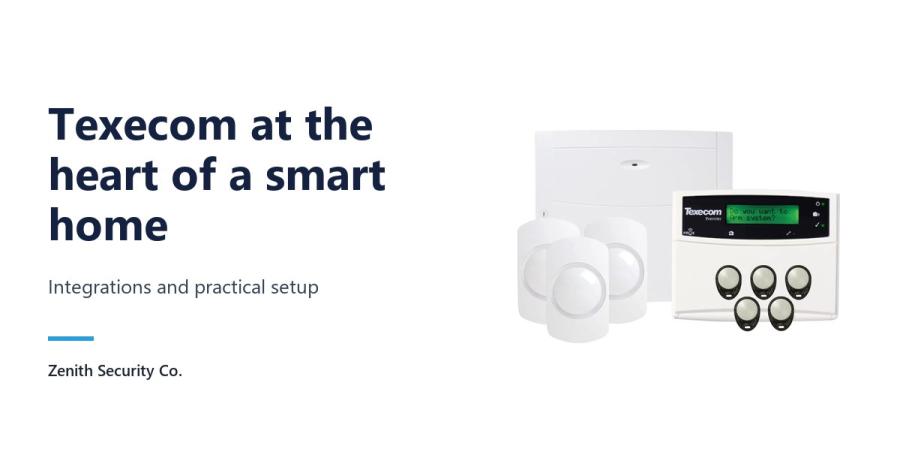
A Texecom smart home builds the connected house around a professional intruder alarm, with a Premier Elite control panel at its centre and detectors, door and window sensors and app control arranged around it. Texecom has shared a Berkshire project in which this approach brought order to a home overloaded with separate apps and remotes. Here is how it worked, and how to plan your own.
Inside a Texecom smart home project in Berkshire
The problem will sound familiar to many homeowners. The house was full of connected gadgets, yet each one had its own app or remote and nothing pulled them together. Smart home specialist The Real Smart Home tackled this by rebuilding the system with a Texecom Premier Elite panel as its backbone.
That panel acts as the central security platform and ties the wider smart ecosystem together. Several Texecom Capture motion detectors give multi-layered coverage across the property, and sensors fitted to doors and windows watch the entry points. The homeowner gets real-time alerts and controls the system through the SH-PRO app.
Two design choices stand out. The whole system is managed locally, with no dependence on outside cloud services. An uninterruptible power supply (UPS) also keeps the critical network equipment running if the mains power drops. In Texecom's words, "Texecom's technology didn't just secure the home". It also gave the owner a flexible foundation for a connected home that works without the cloud.
Why an alarm panel makes a good smart home hub
Lighting scenes and smart speakers are pleasant extras. Security is the part of a connected home that has to work every time. Starting with a professional-grade alarm panel, rather than adding security at the end, means the most important system sets the standard for everything linked to it.
An alarm also brings its own network of sensors: detectors in the main rooms and contacts on doors and windows. In the Berkshire home, the Premier Elite panel became the core of one integrated system. The case study highlights three results: reliability through power cuts, instant awareness through notifications, and the peace of mind that professional-grade protection brings.
The building blocks and where to find them
The table maps each layer of the case study to equipment you can buy from Zenith. These are examples of the same type of kit, not the exact parts fitted in Berkshire.
| Layer | Role in the case study | Options at Zenith |
|---|---|---|
| Control panel | Premier Elite panel as the central security platform | Texecom KIT-1040 Premier Elite 24 Kit with Capture, or our full alarm panels range |
| Movement detection | Capture motion detectors for multi-layered coverage | Texecom Capture Q20 20m Quad PIR |
| Entry points | Window and door sensors | Ricochet Premier Elite Micro Contact-W (wireless) |
| Power resilience | UPS protecting critical network equipment | APC Power Saving Back-UPS 700VA |
| Control and alerts | SH-PRO app, managed locally | Texecom Connect app via the Texecom SmartCom communicator (uses Texecom Cloud) |
SH-PRO was part of this particular installation and is not something we supply. The Micro Contact-W belongs to Texecom's Ricochet wireless range, so check that your panel set-up supports Ricochet devices, and confirm every detector and contact suits your chosen panel before ordering.
Local control or app control?
Locally managed, as in the case study
The Berkshire system runs locally rather than leaning on third-party cloud platforms. That appeals to owners who value privacy, or who want their alarm to keep working whatever happens to an outside service. Expect to work with an installer or integrator who can design and commission the integration.
Texecom Connect with SmartCom
If you would rather use Texecom's own app, the SmartCom communicator links a Premier Elite panel to the internet over Ethernet or 2.4GHz Wi-Fi. It talks to the panel through two COM ports and provides Texecom Connect app access, Texecom Monitor alarm receiving centre (ARC) reporting and UDL support via Texecom Cloud.
Because SmartCom only makes outbound connections, you do not need to open ports on your router. It requires Premier Elite firmware V4.00 or later, so check your panel's version first.
Practical set-up checklist
- Map the house. List every external door, accessible window and main living area. These become your contact and detector positions.
- Choose wired or wireless. Wired devices are easiest to fit when cables can be run before decorating or during a renovation. Wireless devices avoid most cabling in a home that is already lived in.
- Decide how you will control it. Choose between local integration and app-based control early, because it affects which communicator you need.
- Protect the network. If alerts and remote control depend on your router and network equipment, put them on a UPS, as the Berkshire project did.
- Bring in a professional. A qualified alarm installer or smart home integrator can commission the panel and any integration properly.
- Leave room to grow. Count the zones you need today, then allow spare capacity for later additions.
Frequently asked questions
Can a Texecom alarm be the hub of a smart home?
Yes. In the Berkshire case study shared by Texecom, a Premier Elite control panel acted as the central security platform, with Capture motion detectors, door and window sensors and app control built around it.
Does a Texecom smart home need the cloud?
Not necessarily. The Berkshire system was managed locally without depending on external cloud services. If you prefer the Texecom Connect app, the SmartCom communicator provides it via Texecom Cloud using outbound connections, so no router port forwarding is needed.
Which Texecom panels work with SmartCom?
SmartCom is compatible with Premier Elite control panels running firmware V4.00 or later. It connects to the panel through two COM ports and to your network over Ethernet or 2.4GHz Wi-Fi.
Why add a UPS to a smart home alarm set-up?
In the case study, a UPS protected the critical network components so they kept running during power interruptions. That helps keep notifications and remote control available when the mains supply fails.
Browse the full Texecom range at Zenith, or contact us for help choosing equipment for your Texecom smart home.