
HiLook NVRs
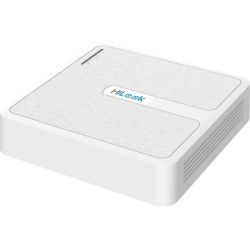
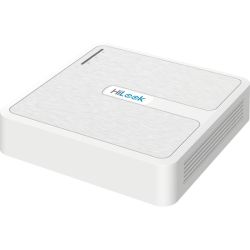
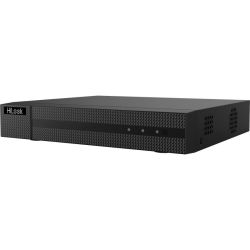
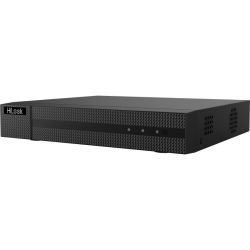
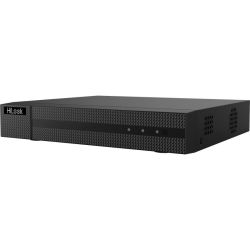
HiLook NVRs record IP cameras, from 4 to 16 channels, most with PoE built in.
A HiLook NVR (network video recorder) records HiLook and Hikvision IP cameras over the network. We list 4, 8 and 16-channel models recording up to 4MP, 6MP, 8MP (4K) or 12MP. All but one have a PoE port for each channel, so one network cable carries power and picture to each camera. Watch live and recorded video free on your phone with the HiLookVision app.
How do I choose a HiLook NVR?
1. Channels: one for each camera, so an 8-channel NVR records up to eight.
2. Recording resolution: the recorder sets the limit, so pick an NVR that records at least your cameras' resolution.
- 4MP: the NVR-104MH-D/4P and NVR-108MH-D/8P (newer units also take cameras up to 6MP).
- 6MP: the NVR-104H-D/4P and NVR-108H-D/8P (6MP cameras accepted; all channels together record at up to 4MP).
- 8MP (4K): the NVR-104MH-C/4P, NVR-108MH-C/8P, NVR-208MH-C/8P and NVR-216MH-C/16P, for HiLook 8MP (4K) cameras.
- 12MP: the HL-NVR-K models: HL-NVR-104MH-K/4P, HL-NVR-108MH-K/8P, HL-NVR-208MH-K/8P and HL-NVR-216MH-K/16P.
3. Hard drive bays: most have one. The NVR-208MH-C/8P, NVR-216MH-C/16P, HL-NVR-208MH-K/8P and HL-NVR-216MH-K/16P have two, for longer recording.
4. Wi-Fi: the NVR-104MH-D/W connects to HiLook Wi-Fi cameras over 2.4 GHz Wi-Fi, so each camera only needs power. It records up to 4MP and has no PoE ports.
HiLook 4, 8 and 16 channel NVRs: quick guide
| Your system | Good choice |
|---|---|
| HiLook 4 channel NVR, 4MP | NVR-104MH-D/4P |
| 4 cameras, 6MP | NVR-104H-D/4P |
| 4 Wi-Fi cameras, no network cable | NVR-104MH-D/W |
| 4 cameras, 8MP (4K) | NVR-104MH-C/4P |
| 4 cameras, 12MP | HL-NVR-104MH-K/4P |
| HiLook 8 channel NVR, 6MP | NVR-108H-D/8P, or NVR-108MH-D/8P for 4MP |
| 8 cameras, 8MP (4K) | NVR-108MH-C/8P, or NVR-208MH-C/8P with two drive bays |
| 8 cameras, 12MP | HL-NVR-108MH-K/8P, or HL-NVR-208MH-K/8P with two drive bays |
| HiLook 16 channel NVR | NVR-216MH-C/16P (8MP) or HL-NVR-216MH-K/16P (12MP) |
Our guide Which HiLook NVR do I need? explains each choice in more detail. Need cameras too? See HiLook cameras, or HiLook CCTV kits with an NVR and cameras in one box.
HiLook NVR specifications compared
| Model | PoE ports / budget | Drive bays (max per drive) | HDMI output | Incoming bandwidth | Smart detection on the NVR |
|---|---|---|---|---|---|
| NVR-104MH-D/4P | 4 / 36 W | 1 (6TB) | 1080p | 40 Mbps | None listed |
| NVR-104H-D/4P | 4 / 36 W | 1 (6TB) | 1080p | 40 Mbps | Line crossing, intrusion |
| NVR-104MH-D/W | None (2.4 GHz Wi-Fi) | 1 (6TB) | 1080p | 50 Mbps | None listed |
| NVR-104MH-C/4P | 4 / 50 W | 1 (8TB) | 4K | 40 Mbps | Motion Detection 2.0, 1-ch |
| HL-NVR-104MH-K/4P | 4 / 50 W | 1 (16TB) | 4K | 40 Mbps | Face recognition, perimeter protection, Motion Detection 2.0 |
| NVR-108MH-D/8P | 8 / 75 W | 1 (6TB) | 1080p | 60 Mbps | Line crossing, intrusion |
| NVR-108H-D/8P | 8 / 75 W | 1 (6TB) | 1080p | 60 Mbps | Line crossing, intrusion |
| NVR-108MH-C/8P | 8 / 75 W | 1 (8TB) | 4K | 80 Mbps | Motion Detection 2.0, 4-ch |
| NVR-208MH-C/8P | 8 / 80 W | 2 (8TB each) | 4K | 80 Mbps | Motion Detection 2.0, 4-ch |
| HL-NVR-108MH-K/8P | 8 / 75 W | 1 (16TB) | 4K | 80 Mbps | Face recognition, perimeter protection, Motion Detection 2.0 |
| HL-NVR-208MH-K/8P | 8 / 80 W | 2 (16TB each) | 4K | 80 Mbps | Face recognition, perimeter protection, Motion Detection 2.0 |
| NVR-216MH-C/16P | 16 / 150 W | 2 (8TB each) | 4K | 160 Mbps | Motion Detection 2.0, 4-ch |
| HL-NVR-216MH-K/16P | 16 / 200 W | 2 (16TB each) | 4K | 160 Mbps | Face recognition, perimeter protection, Motion Detection 2.0 |
Figures are from Hikvision's datasheets for the current hardware revisions. The incoming bandwidth is shared by all the cameras on the recorder.
Which HiLook 8 channel NVR should I buy?
For 6MP cameras, the NVR-108H-D/8P, or the NVR-108MH-D/8P for 4MP. For 8MP (4K) cameras, the NVR-108MH-C/8P, or the NVR-208MH-C/8P with two drive bays. For 12MP, the HL-NVR-108MH-K/8P, or the HL-NVR-208MH-K/8P with two drive bays.
Is HiLook the same as Hikvision?
HiLook is a range made by Hikvision, sold as HiLook by Hikvision. HiLook NVRs are managed with the free HiLookVision app. The HL-NVR-104MH-K/4P, HL-NVR-208MH-K/8P and HL-NVR-216MH-K/16P also list ONVIF (Profile S/G) for other makes of camera.
Do I need a PoE switch?
No. Every model here except the Wi-Fi NVR-104MH-D/W has a PoE port for each channel, so you plug each camera straight into the recorder.
Does a HiLook NVR come with a hard drive?
No. Add a surveillance hard drive on the product page and we fit and format it to order, or choose one from CCTV hard drives. Work out the size with the CCTV storage calculator.
NVR or DVR?
Choose an NVR for IP cameras on network cable (PoE). Choose a DVR if you have, or want, coax cameras: see HiLook DVRs.
Can I view a HiLook NVR on my phone?
Yes, free. Watch our 2-minute HiLook app set-up video: add your NVR by QR code, then use live view and playback.
What is the PoE budget on a HiLook NVR?
It is the total power shared by all the PoE ports: up to 36 W on the NVR-104MH-D/4P and NVR-104H-D/4P, 50 W on the NVR-104MH-C/4P and HL-NVR-104MH-K/4P, 75 W on the 108 models, 80 W on the NVR-208MH-C/8P and HL-NVR-208MH-K/8P, 150 W on the NVR-216MH-C/16P and 200 W on the HL-NVR-216MH-K/16P. All follow IEEE 802.3af/at.
What is the biggest hard drive a HiLook NVR takes?
Up to 6TB per drive on the D-series and the NVR-104MH-D/W, 8TB per drive on the C-series, and 16TB per drive on the HL-NVR-K models. The two-bay models take two drives.
Which HiLook NVR has face recognition?
The HL-NVR-K models: face recognition, perimeter protection with human and vehicle recognition, and Motion Detection 2.0. The C-series has Motion Detection 2.0 (1 channel on the NVR-104MH-C/4P, 4 channels on the others). The NVR-104H-D/4P, NVR-108H-D/8P and NVR-108MH-D/8P support line crossing and intrusion detection.
Can a HiLook NVR show 4K on my TV?
The C-series and HL-NVR-K models have a 4K HDMI output. The D-series and the NVR-104MH-D/W output up to 1080p. Every model also has a VGA output.
Video: Hikvision. Edited by Zenith Security Co.
Not sure which to pick? Call 01902 902251 and we'll match a recorder to your cameras. We deliver to England, Scotland and Wales within 1–2 working days. Back to HiLook by Hikvision.
- HiLook by Hikvision
- HiLook by Hikvision
- HiLook by Hikvision
- SaleHiLook by Hikvision
HiLook by Hikvision NVR-104MH-D/4P 4-Channel 4MP PoE NVR with 4 Built-in PoE Ports
Special Price £68.24 £56.87 Regular Price £83.16 view product
- SaleHiLook by Hikvision
HiLook by Hikvision NVR-108MH-D/8P 8-Channel 4MP PoE NVR with 8 Built-in PoE Ports
Special Price £94.49 £78.74 Regular Price £120.58
view product - HiLook by Hikvision
- HiLook by Hikvision
- HiLook by Hikvision
- HiLook by Hikvision
- HiLook by Hikvision
- HiLook by Hikvision
- HiLook by Hikvision
- HiLook by Hikvision