One cable for data and power to every camera.
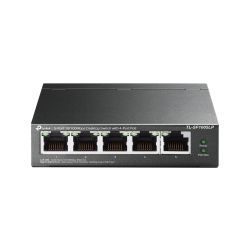
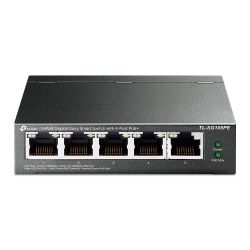
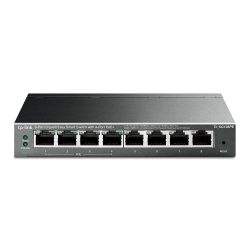
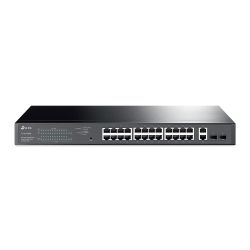
PoE (Power over Ethernet) lets a single Cat5e or Cat6 cable carry data and power to a camera, access point or intercom. No separate power supply, no second cable run. A PoE switch supplies that power, and choosing one comes down to two numbers: port count and power budget.
Shop by brand: TP-Link PoE switches · TP-Link Omada switches · Mercusys · Ruijie Reyee
How do I choose a PoE switch?
The two numbers that matter
- Port count: one PoE port per camera, plus at least one spare for the recorder's uplink if it isn't PoE-native, and room for the next camera you add. An 8-port switch for 8 cameras leaves nothing spare.
- Power budget (watts): this, not the port count, limits how many devices you can run. Add up every camera's PoE class. A standard IP camera with IR draws around 6–8W. A PTZ or heated housing draws much more. A 150W switch runs eight standard cameras comfortably. The same eight PTZs could need 250W+. Undersizing this is the most common reason a new camera won't power up even though the port lights.
Which switch for which job?
- NVR with built-in PoE ports: many HiLook and Hikvision NVRs have 4 or 8 PoE ports built in, so a small system on one recorder needs no separate switch.
- Standalone PoE switch: needed once you have more cameras than the NVR has ports, or when cameras and other devices (access points, intercoms) share a run back to a comms cupboard.
- Managed or unmanaged: a managed switch shows per-port power draw and can reboot a stuck camera remotely. Worth it on a commercial site. Unmanaged is fine for a small home install.
What else will I need?
Run Cat5e or Cat6 cable rated for the distance. PoE and standard Ethernet both max out around 100m per run without a repeater or media converter. Beyond that, use a PoE extender or fibre uplink, not a longer copper run. Planning a whole system? Start from IP cameras and work back to the switch.
Need help sizing a switch? Call us on 01902 902251. We deliver to England, Scotland and Wales within 1–2 working days.
PoE Switches
One cable for data and power to every camera.
PoE (Power over Ethernet) lets a single Cat5e or Cat6 cable carry data and power to a camera, access point or intercom. No separate power supply, no second cable run. A PoE switch supplies that power, and choosing one comes down to two numbers: port count and power budget.
Shop by brand: TP-Link PoE switches · TP-Link Omada switches · Mercusys · Ruijie Reyee
How do I choose a PoE switch?
The two numbers that matter
- Port count: one PoE port per camera, plus at least one spare for the recorder's uplink if it isn't PoE-native, and room for the next camera you add. An 8-port switch for 8 cameras leaves nothing spare.
- Power budget (watts): this, not the port count, limits how many devices you can run. Add up every camera's PoE class. A standard IP camera with IR draws around 6–8W. A PTZ or heated housing draws much more. A 150W switch runs eight standard cameras comfortably. The same eight PTZs could need 250W+. Undersizing this is the most common reason a new camera won't power up even though the port lights.
Which switch for which job?
- NVR with built-in PoE ports: many HiLook and Hikvision NVRs have 4 or 8 PoE ports built in, so a small system on one recorder needs no separate switch.
- Standalone PoE switch: needed once you have more cameras than the NVR has ports, or when cameras and other devices (access points, intercoms) share a run back to a comms cupboard.
- Managed or unmanaged: a managed switch shows per-port power draw and can reboot a stuck camera remotely. Worth it on a commercial site. Unmanaged is fine for a small home install.
What else will I need?
Run Cat5e or Cat6 cable rated for the distance. PoE and standard Ethernet both max out around 100m per run without a repeater or media converter. Beyond that, use a PoE extender or fibre uplink, not a longer copper run. Planning a whole system? Start from IP cameras and work back to the switch.
Need help sizing a switch? Call us on 01902 902251. We deliver to England, Scotland and Wales within 1–2 working days.