

From a single keypad door to a fully logged site.
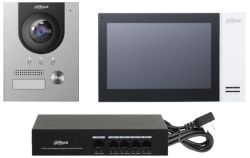
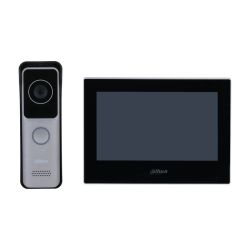
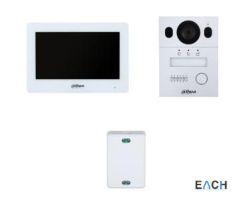
Build your own video intercom: choose Dahua, Hikvision or Uniview, IP or 2-wire, and add door stations, monitors and PoE switches that all work together.
Access control covers everything from one door with a keypad to a networked site where every entry is logged and fobs are cancelled the moment someone leaves. We stock Paxton Net2 and Entry, Hikvision controllers, readers, door stations and face terminals, plus the locks, power supplies and cable that make a working door. For a simple one- or two-door job, start with an access control kit.
How do I plan an access control system?
Which type of system fits the job?
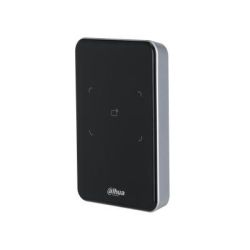
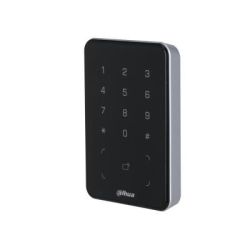
- Standalone keypad or reader: one door, no software, codes or fobs set at the door itself. Right for a stockroom, gate or single office. See keypads and card readers.
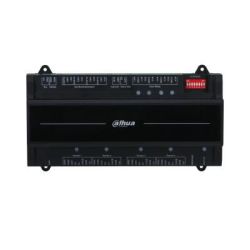
- Networked (Paxton Net2 or Hikvision): a controller per door, all managed from one PC or server. You get audit trails, timed access, door groups and instant fob cancellation. The standard for multi-door commercial sites. Paxton Net2 is popular with installers. Hikvision door controllers suit sites already running Hikvision CCTV on HikCentral or iVMS-4200.
- Door entry / video intercom: for letting visitors in, not controlling staff. Audio or video panels, apartment systems, and IP door stations that ring an indoor monitor or a phone. See intercoms, and read the Hikvision video intercom buying guide before choosing between the IP, 2-wire HD and 2-wire IP families.
- Complete kits: a controller, reader, PSU and lock, matched and boxed for a straightforward one- or two-door job.
What does each door need?
- The lock: maglock or electric strike, and fail-safe or fail-secure. The fire strategy and escape route decide this, not preference. Browse door locks.
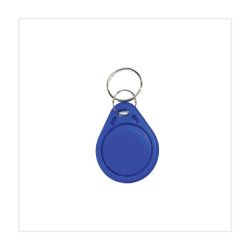
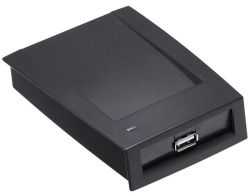
- The reader and fob type: proximity fobs and cards, keypad codes, or both. Buy fobs in the same technology as the readers. Mixing 125kHz and 13.56MHz is the most common ordering mistake we see.
- Power: locks draw real current and need a PSU with a standby battery, so the door behaves predictably in a power cut. See power supplies.
- Cable: readers need multi-core cable, not a spare data run. We stock Paxton reader cable and general access control cable in the cabling range.
- Exit: a push-to-exit button, break-glass or request-to-exit sensor on the inside. Needed on almost every installation.
Can it work with my cameras?
Yes, and it's much more useful when a door event can be matched to footage. Hikvision door stations and terminals sit on the same network as IP cameras and record to the same NVR, so a door forced open at 2am has video attached. Wiring a new site? Run the door cable and camera cable in the same first fix.
Can I collect locally?
Yes. The range is on the shelf at our Wolverhampton counter, not on order. Our access control and door entry in Wolverhampton page covers what we supply locally and how we work with installers across the Black Country. CCTV and security in Wolverhampton covers the rest of the showroom.
Trade accounts are available for installers. Hikvision prices are trade-only and show when you log in. Call us on 01902 902251 for a project quote, or for help choosing between Paxton and Hikvision. We deliver to England, Scotland and Wales within 1–2 working days.
Access Control
From a single keypad door to a fully logged site.
Build your own video intercom: choose Dahua, Hikvision or Uniview, IP or 2-wire, and add door stations, monitors and PoE switches that all work together.
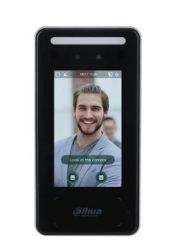
Access control covers everything from one door with a keypad to a networked site where every entry is logged and fobs are cancelled the moment someone leaves. We stock Paxton Net2 and Entry, Hikvision controllers, readers, door stations and face terminals, plus the locks, power supplies and cable that make a working door. For a simple one- or two-door job, start with an access control kit.
How do I plan an access control system?
Which type of system fits the job?
- Standalone keypad or reader: one door, no software, codes or fobs set at the door itself. Right for a stockroom, gate or single office. See keypads and card readers.
- Networked (Paxton Net2 or Hikvision): a controller per door, all managed from one PC or server. You get audit trails, timed access, door groups and instant fob cancellation. The standard for multi-door commercial sites. Paxton Net2 is popular with installers. Hikvision door controllers suit sites already running Hikvision CCTV on HikCentral or iVMS-4200.
- Door entry / video intercom: for letting visitors in, not controlling staff. Audio or video panels, apartment systems, and IP door stations that ring an indoor monitor or a phone. See intercoms, and read the Hikvision video intercom buying guide before choosing between the IP, 2-wire HD and 2-wire IP families.
- Complete kits: a controller, reader, PSU and lock, matched and boxed for a straightforward one- or two-door job.
What does each door need?
- The lock: maglock or electric strike, and fail-safe or fail-secure. The fire strategy and escape route decide this, not preference. Browse door locks.
- The reader and fob type: proximity fobs and cards, keypad codes, or both. Buy fobs in the same technology as the readers. Mixing 125kHz and 13.56MHz is the most common ordering mistake we see.
- Power: locks draw real current and need a PSU with a standby battery, so the door behaves predictably in a power cut. See power supplies.
- Cable: readers need multi-core cable, not a spare data run. We stock Paxton reader cable and general access control cable in the cabling range.
- Exit: a push-to-exit button, break-glass or request-to-exit sensor on the inside. Needed on almost every installation.
Can it work with my cameras?
Yes, and it's much more useful when a door event can be matched to footage. Hikvision door stations and terminals sit on the same network as IP cameras and record to the same NVR, so a door forced open at 2am has video attached. Wiring a new site? Run the door cable and camera cable in the same first fix.
Can I collect locally?
Yes. The range is on the shelf at our Wolverhampton counter, not on order. Our access control and door entry in Wolverhampton page covers what we supply locally and how we work with installers across the Black Country. CCTV and security in Wolverhampton covers the rest of the showroom.
Trade accounts are available for installers. Hikvision prices are trade-only and show when you log in. Call us on 01902 902251 for a project quote, or for help choosing between Paxton and Hikvision. We deliver to England, Scotland and Wales within 1–2 working days.
- Dahua
- Dahua
- Dahua
- Dahua
- Dahua
- Dahua