
Omada Access Points
Omada access points: managed business Wi-Fi for every room, yard and building.
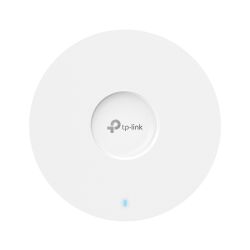
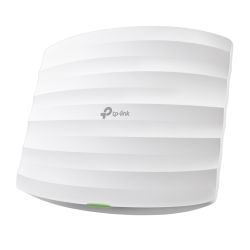
TP-Link Omada access points (the EAP range) give offices, shops, schools and sites reliable managed Wi-Fi. Ceiling-mount, wall-plate, desktop and outdoor models all join the same Omada controller, alongside Omada wireless bridges for point-to-point links. Zenith is an official TP-Link VAR Partner.
Which Omada access point?
Prices include VAT. Full comparison in our Omada access point buying guide.
| Type | Wi-Fi 6 (most sites) | Wi-Fi 7 (newest devices, busiest areas) |
|---|---|---|
| Ceiling mount | EAP610 £95, EAP653 £89, EAP670 £149 | EAP723 £99, EAP727 £149, EAP773 £229 |
| Wall plate (hotel rooms, classrooms) | EAP615-Wall £85, EAP650-Wall £95 | EAP725-Wall £145 |
| Outdoor (yards, car parks, gardens) | EAP603-Outdoor £110, EAP650-Outdoor £160 | EAP725-Outdoor £190 |
| Wireless bridge (link two buildings) | EAP211-Bridge Kit 1km £119, EAP215-Bridge Kit 5km £129, Flex Bridge 5 £115 | |
| Budget Wi-Fi 4 and 5 | EAP115 £45, EAP225 £69, EAP225-Outdoor £69 | |
How do I choose an Omada access point?
Who are they for?
Offices and shops needing staff and guest Wi-Fi, schools covering classrooms and halls, and CCTV installers linking a remote camera or outbuilding with a wireless bridge.
Picking the right model
- Wi-Fi 6 or Wi-Fi 7: Wi-Fi 6 suits most sites today. Wi-Fi 7 models suit busy areas with newer devices and are a longer-term choice.
- Indoor or outdoor: use Outdoor models for car parks, yards and gardens. Wall models fit neatly in hotel rooms and classrooms.
- Power: most EAPs are powered by PoE. Check the access point's requirement against your Omada switch or PoE injector.
- Bridges and CPE: for a wireless link between two buildings rather than general Wi-Fi coverage.
Omada access point FAQs
What is an Omada access point?
A TP-Link EAP business access point that can be managed with other Omada devices from a single controller.
What is a managed Wi-Fi access point?
One that is set up and monitored from a central controller instead of one by one. With Omada you set the Wi-Fi names, guest network and security once, and every access point follows, with seamless roaming between them.
Which Wi-Fi 6 access point should I buy?
For a typical office or shop ceiling, the EAP610 (AX1800) or EAP653 (AX3000). For busy areas with many users, the EAP670 (AX5400).
Do Omada access points need a controller?
Many can run standalone, but multi-AP features and central management need an Omada controller: OC200, OC300, software or cloud.
Can Omada access points be used outdoors?
Yes, choose a model marked Outdoor, which is built for external mounting. Check the datasheet for its weather rating.
How do I power an Omada access point?
Usually by PoE from a switch or injector. Check each model's PoE standard before you buy.
Omada Wi-Fi videos
Watch: Is your network ready for Wi-Fi 7?
Why Wi-Fi 7 access points need multi-gig switching and centralised management to reach full speed.
Watch: Outdoor Wi-Fi without digging cables
Omada wireless bridges up to 5 km, outdoor Wi-Fi 6 access points and outdoor PoE switches.
Back to TP-Link Omada, see all TP-Link access points or every access point or browse TP-Link. Questions? Call 01902 902251.
- TP-Link Omada
- TP-Link Omada
- TP-Link Omada
- TP-Link Omada
- TP-Link Omada
- TP-Link Omada
- TP-Link Omada
- TP-Link Omada
- TP-Link Omada
- TP-Link Omada
- TP-Link Omada
- TP-Link Omada
- TP-Link Omada
- TP-Link Omada
- TP-Link Omada
- TP-Link Omada
- TP-Link Omada
- TP-Link Omada