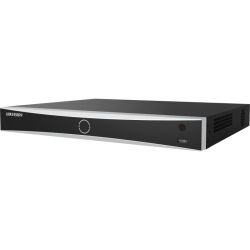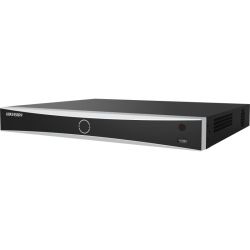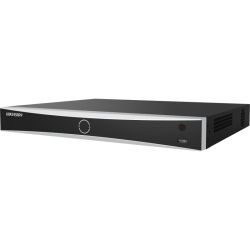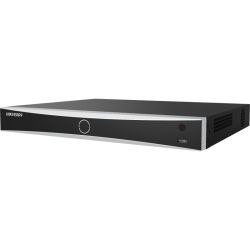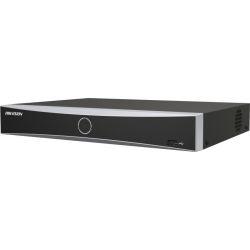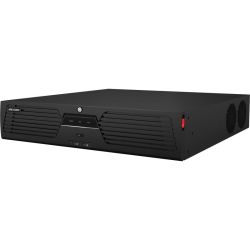

AcuSeek NVRs
Hikvision AcuSeek NVRs: find recorded footage by typing what you are looking for.
AcuSeek recorders carry "VPro" in the model number. Type or say a description such as "white van" or "person in a red top" and the recorder returns matching clips from every camera. Many existing Hikvision cameras already work with it after a firmware update, so the upgrade is usually just the recorder. Shop by size: 8 channel · 16 channel · 32 channel · 64 channel.
How to choose an AcuSeek NVR
Will my existing cameras work with AcuSeek?
AcuSeek does its searching on the recorder, so you usually keep the cameras. Hikvision's AcuSeek compatibility list (May 2026) covers 1, 2 and 3 series G2 and G3 cameras, DeepinView, DeepinViewX, PTZ and some thermal models, each from a stated firmware version. Update the camera firmware first. To check a single model, filter Hikvision's product selector by AI → AcuSeek. Other brands' ONVIF cameras will record, but AcuSeek search does not apply to them. Send us your camera models and we'll check them before you order.
Which AcuSeek NVR do I need?
- 8 channel: the DS-7608NXI-K1/8P/VPro (one drive bay, 8 PoE) for shops, offices and homes. The DS-7608NXI-I2/8P/VPro adds a second bay. The DS-7608NXI-I2/VPro is the same without PoE.
- 16 channel: the DS-7616NXI-I2/16P/VPro (2 bays, 16 PoE), or the 4-bay DS-7716NXI-I4/16P/VPro for longer retention. Both come in non-PoE versions too.
- 32 channel: the DS-7732NXI-I4/16P/VPro (16 PoE) or the DS-7732NXI-I4/VPro with an external switch.
- 64 channel: the DS-9664NXI-I8R/VPro, 8 bays with a redundant power supply.
Recorders come without drives. Size storage with the CCTV storage calculator and add a surveillance hard drive.
What can you search for?
People, vehicles and animals, described in plain words, typed or spoken in over 30 languages through Hik-Connect 6 as well as on the recorder. Hikvision's examples include a person approaching a white SUV, a vehicle by colour, and negative searches such as "person not wearing a helmet". Our AcuSeek guide explains how it works, with demo videos.
See AcuSeek NVRs working
AcuSeek NVRs in use (footage: Hikvision, edited by Zenith Security Co):
More on our YouTube channel: K/VPro AcuSeek NVR · finding lost property · finding a missing person · licence plate search · searching for animals · finding a vehicle. Our AcuSeek guide has the smoking-detection and negative-word-search demos.
AcuSeek NVR questions
What is the difference between AcuSense and AcuSeek?
AcuSense is the camera-side person and vehicle detection that cuts false alarms. AcuSeek is the recorder-side text search that finds footage afterwards. The two work together: AcuSeek searches what compatible cameras record.
Do I need new cameras for AcuSeek?
Often not. Hikvision lists many existing 1, 2 and 3 series, DeepinView and PTZ cameras as compatible from a stated firmware version. Check the model against Hikvision's compatibility list before you buy.
Can I search from my phone?
Yes. Hik-Connect 6 (app and portal) supports AcuSeek text and voice search.
How do I buy?
Hikvision recorders are sold at trade prices. Apply for a trade account, or call 01902 902251 for advice. We supply, we do not install. Orders are dispatched within 1–2 working days to England, Scotland and Wales.