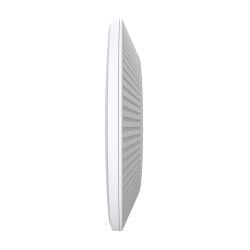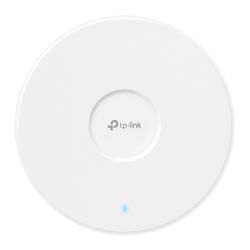

Omada access points: business Wi-Fi for every room, yard and building.
TP-Link Omada access points (the EAP range) give offices, shops, schools and sites reliable Wi-Fi that is managed centrally. Ceiling, wall-plate, desktop and outdoor models all join the same Omada controller, alongside Omada wireless bridges and CPE for point-to-point links. Zenith is an official TP-Link VAR Partner.
How do I choose an Omada access point?
Who are they for?
Offices and shops needing staff and guest Wi-Fi, schools covering classrooms and halls, and CCTV installers linking a remote camera or outbuilding with a wireless bridge.
Picking the right model
- Wi-Fi 6 or Wi-Fi 7: Wi-Fi 6 suits most sites today. Wi-Fi 7 models suit busy areas with newer devices and are a longer-term choice.
- Indoor or outdoor: use Outdoor models for car parks, yards and gardens. Wall models fit neatly in hotel rooms and classrooms.
- Power: most EAPs are powered by PoE. Check the access point's requirement against your Omada switch or PoE injector.
- Bridges and CPE: for a wireless link between two buildings rather than general Wi-Fi coverage.
Omada access point FAQs
What is an Omada access point?
A TP-Link EAP business access point that can be managed with other Omada devices from a single controller.
Do Omada access points need a controller?
Many can run standalone, but multi-AP features and central management need an Omada controller: OC200, OC300, software or cloud.
Can Omada access points be used outdoors?
Yes, choose a model marked Outdoor, which is built for external mounting. Check the datasheet for its weather rating.
Is Omada Wi-Fi 7 available?
Yes, TP-Link offers Wi-Fi 7 Omada access points. See the product listings for the models we stock.
How do I power an Omada access point?
Usually by PoE from a switch or injector. Check each model's PoE standard before you buy.
Omada Wi-Fi videos
Watch: Is your network ready for Wi-Fi 7?
Why Wi-Fi 7 access points need multi-gig switching and centralised management to reach full speed.
Watch: Outdoor Wi-Fi without digging cables
Omada wireless bridges up to 5 km, outdoor Wi-Fi 6 access points and outdoor PoE switches.
Back to TP-Link Omada, see all access points or browse TP-Link. Questions? Call 01902 902251.
Omada Access Points
Omada access points: business Wi-Fi for every room, yard and building.
TP-Link Omada access points (the EAP range) give offices, shops, schools and sites reliable Wi-Fi that is managed centrally. Ceiling, wall-plate, desktop and outdoor models all join the same Omada controller, alongside Omada wireless bridges and CPE for point-to-point links. Zenith is an official TP-Link VAR Partner.
How do I choose an Omada access point?
Who are they for?
Offices and shops needing staff and guest Wi-Fi, schools covering classrooms and halls, and CCTV installers linking a remote camera or outbuilding with a wireless bridge.
Picking the right model
- Wi-Fi 6 or Wi-Fi 7: Wi-Fi 6 suits most sites today. Wi-Fi 7 models suit busy areas with newer devices and are a longer-term choice.
- Indoor or outdoor: use Outdoor models for car parks, yards and gardens. Wall models fit neatly in hotel rooms and classrooms.
- Power: most EAPs are powered by PoE. Check the access point's requirement against your Omada switch or PoE injector.
- Bridges and CPE: for a wireless link between two buildings rather than general Wi-Fi coverage.
Omada access point FAQs
What is an Omada access point?
A TP-Link EAP business access point that can be managed with other Omada devices from a single controller.
Do Omada access points need a controller?
Many can run standalone, but multi-AP features and central management need an Omada controller: OC200, OC300, software or cloud.
Can Omada access points be used outdoors?
Yes, choose a model marked Outdoor, which is built for external mounting. Check the datasheet for its weather rating.
Is Omada Wi-Fi 7 available?
Yes, TP-Link offers Wi-Fi 7 Omada access points. See the product listings for the models we stock.
How do I power an Omada access point?
Usually by PoE from a switch or injector. Check each model's PoE standard before you buy.
Omada Wi-Fi videos
Watch: Is your network ready for Wi-Fi 7?
Why Wi-Fi 7 access points need multi-gig switching and centralised management to reach full speed.
Watch: Outdoor Wi-Fi without digging cables
Omada wireless bridges up to 5 km, outdoor Wi-Fi 6 access points and outdoor PoE switches.
Back to TP-Link Omada, see all access points or browse TP-Link. Questions? Call 01902 902251.
- TP-Link Omada
- TP-Link Omada
- TP-Link Omada
- TP-Link Omada
- Sold OutTP-Link Omada
- TP-Link
- TP-Link Omada
- TP-Link Omada
- TP-Link Omada
- TP-Link Omada
- TP-Link Omada
- TP-Link Omada
- TP-Link Omada
- TP-Link Omada
- TP-Link Omada