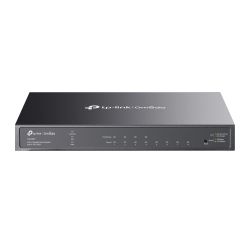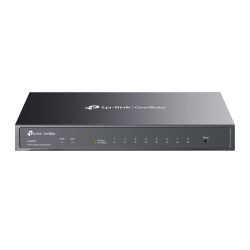

Omada switches: wired and PoE networking you manage from one dashboard.
TP-Link Omada switches connect and power the devices on your network: IP cameras, access points, phones and PCs. Adopt them into an Omada controller and every port, VLAN and PoE budget sits in the same dashboard as your Wi-Fi and gateway. As an official TP-Link VAR Partner, we stock the range for trade and business buyers.
How do I choose an Omada switch?
Who are they for?
CCTV installers powering cameras from a comms cabinet, offices and shops building a tidy managed network, and schools linking classrooms and outbuildings.
Picking the right model
- PoE or non-PoE: model names with a P (for example SG2210P or SG2428P) supply PoE. Check the product page for the total PoE budget and compare it with the combined draw of your cameras and access points.
- Port count: allow one port per device, an uplink, and spares for growth.
- Easy Managed or Smart Managed: Easy Managed (ES) models give VLANs, PoE control and free cloud management at a lower price. Smart Managed (SG/SL) models add full L2+ features. See our managed vs unmanaged switch guide.
- Industrial models: the IES range is designed for harsher environments. Check the datasheet for its rated conditions.
- Controller: to manage switches alongside Wi-Fi and routing, add an Omada controller or use the software or cloud option.
Omada switch FAQs
What is an Omada switch?
A TP-Link business switch that can be adopted into the Omada SDN platform and managed centrally with Omada access points and gateways.
Do Omada switches need a controller?
They can generally be configured on their own, but centralised management across the whole site needs an Omada controller: hardware, software or cloud.
Which Omada PoE switch for 8 cameras?
Choose a switch with at least 8 PoE ports plus an uplink, with a PoE budget above your cameras' combined wattage. Heated or PTZ cameras draw more, so check each datasheet.
Can I use an Omada switch with Hikvision or HiLook cameras?
Yes. PoE is a standard, so standard PoE cameras will power from an Omada PoE switch within its port and budget limits.
Are Omada switches rack mountable?
Many larger models are. Check the product page for rack ears or a compatible rack kit.
Watch: Omada Easy Managed Switches
Free cloud management, one-scan setup, multi-site control and VLANs. Read the full Easy Managed switch guide.
Watch: Why the University of Cambridge chose TP-Link Omada
Case study: over 100 Omada switches deployed across Selwyn and Robinson Colleges.
Back to TP-Link Omada, see all PoE switches or browse TP-Link. Questions? Call 01902 902251.
Omada Switches
Omada switches: wired and PoE networking you manage from one dashboard.
TP-Link Omada switches connect and power the devices on your network: IP cameras, access points, phones and PCs. Adopt them into an Omada controller and every port, VLAN and PoE budget sits in the same dashboard as your Wi-Fi and gateway. As an official TP-Link VAR Partner, we stock the range for trade and business buyers.
How do I choose an Omada switch?
Who are they for?
CCTV installers powering cameras from a comms cabinet, offices and shops building a tidy managed network, and schools linking classrooms and outbuildings.
Picking the right model
- PoE or non-PoE: model names with a P (for example SG2210P or SG2428P) supply PoE. Check the product page for the total PoE budget and compare it with the combined draw of your cameras and access points.
- Port count: allow one port per device, an uplink, and spares for growth.
- Easy Managed or Smart Managed: Easy Managed (ES) models give VLANs, PoE control and free cloud management at a lower price. Smart Managed (SG/SL) models add full L2+ features. See our managed vs unmanaged switch guide.
- Industrial models: the IES range is designed for harsher environments. Check the datasheet for its rated conditions.
- Controller: to manage switches alongside Wi-Fi and routing, add an Omada controller or use the software or cloud option.
Omada switch FAQs
What is an Omada switch?
A TP-Link business switch that can be adopted into the Omada SDN platform and managed centrally with Omada access points and gateways.
Do Omada switches need a controller?
They can generally be configured on their own, but centralised management across the whole site needs an Omada controller: hardware, software or cloud.
Which Omada PoE switch for 8 cameras?
Choose a switch with at least 8 PoE ports plus an uplink, with a PoE budget above your cameras' combined wattage. Heated or PTZ cameras draw more, so check each datasheet.
Can I use an Omada switch with Hikvision or HiLook cameras?
Yes. PoE is a standard, so standard PoE cameras will power from an Omada PoE switch within its port and budget limits.
Are Omada switches rack mountable?
Many larger models are. Check the product page for rack ears or a compatible rack kit.
Watch: Omada Easy Managed Switches
Free cloud management, one-scan setup, multi-site control and VLANs. Read the full Easy Managed switch guide.
Watch: Why the University of Cambridge chose TP-Link Omada
Case study: over 100 Omada switches deployed across Selwyn and Robinson Colleges.
Back to TP-Link Omada, see all PoE switches or browse TP-Link. Questions? Call 01902 902251.
- TP-Link Omada
- TP-Link Omada
- TP-Link Omada
- TP-Link Omada
- TP-Link Omada
- TP-Link Omada