

TP-Link Omada: one platform for your switches, Wi-Fi and gateway.
TP-Link Omada is TP-Link's business networking range. Switches, access points and routers are set up and monitored from a single Omada controller, so a site with a dozen devices is managed from one dashboard rather than a dozen web pages. Zenith Security Co is an official TP-Link VAR Partner, supplying Omada to installers and businesses from our Wolverhampton trade counter.
Planning a site? Read our TP-Link Omada buying guide: controllers, switch tiers, PoE budgets for CCTV, access points and gateways. Or build a complete Omada network in our TP-Link Omada network kit builder: add each area that needs Wi-Fi and it sizes the access points, PoE switch, gateway, controller, cabinet and cable.
- Recognised: TP-Link has appeared in the Gartner® Magic Quadrant™ for Enterprise Wired and Wireless LAN Infrastructure for seven consecutive years (2025).
- Lifetime warranty on TP-Link business-class products. Check each product page for its terms.
- Cloud managed: manage sites remotely through the Omada Cloud portal and the Omada app.
How does Omada work and what do I need?
Who uses Omada?
CCTV installers adding PoE switches and Wi-Fi alongside cameras, offices replacing consumer routers, shops and hotels needing guest Wi-Fi, and schools covering several buildings. It suits any site where more than one network device needs looking after.
How Omada SDN fits together
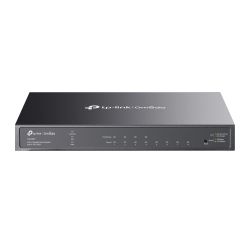
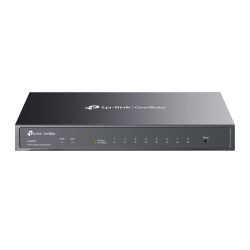
- Omada switches connect and power cameras, access points and PCs, from 5-port Easy Managed models up to 52-port PoE+ and 2.5G multi-gig switches.
- Omada access points provide the Wi-Fi: Wi-Fi 6 and Wi-Fi 7, ceiling, wall-plate and outdoor models.
- Omada routers and gateways such as the ER605 connect the site to the internet, with multi-WAN failover and VPN.
- Omada controllers tie it all together.
Omada controller options
- Hardware controller (OC200 / OC300): a small box on site that manages everything, no PC needed.
- Software controller: a free download from TP-Link, run on your own PC or server.
- Omada Cloud: cloud-based management with no on-site controller. Check TP-Link for the current plans.
- Omada Fusion gateway: TP-Link's newest option. It combines the router and the controller in one device, with five 2.5G ports and a built-in touchscreen.
Buying guidance
- PoE budget vs camera count: add up the wattage of every camera and access point and pick a switch whose total PoE budget covers it with headroom. See our PoE switch guide.
- Wi-Fi 6 or Wi-Fi 7: Wi-Fi 6 covers most offices and shops. Wi-Fi 7 is worth considering for busy sites with newer client devices, ideally paired with 2.5G switch ports.
- Indoor or outdoor: use outdoor-rated access points and bridges for car parks, yards, campsites and links between buildings.
Omada guides by industry
- School Wi-Fi and networking: DfE-aligned networks for schools, colleges and trusts.
- Hotel, pub and restaurant Wi-Fi: guest Wi-Fi, captive portal and 4G failover for tills.
- Small office networking: Wi-Fi 7, PoE switches and VPN for SMEs.
- Omada vs UniFi: how TP-Link Omada compares with Ubiquiti.
TP-Link Omada FAQs
What is TP-Link Omada?
Omada is TP-Link's software-defined networking (SDN) range for businesses. Switches, access points and gateways are configured and monitored together from one controller.
Do Omada devices need a controller?
Many Omada devices can be set up on their own, but the central management, monitoring and site-wide settings come from an Omada controller: hardware, software, cloud or a Fusion gateway.
What is Omada Cloud?
Omada Cloud lets you manage Omada sites through a web portal and the Omada app from anywhere, without a controller on site. It is useful for installers who look after several customer sites.
Is Omada free?
The Omada software controller is a free download from TP-Link. Hardware controllers such as the OC200 and OC300 are a one-off purchase. Check TP-Link's current terms for any cloud service licensing.
Is Omada an alternative to Ubiquiti UniFi?
Yes. Omada and UniFi work the same way, with switches, access points and gateways managed from one controller. Many installers choose Omada for its pricing and lifetime warranty on business-class products. See our full Omada vs UniFi comparison.
Which Omada PoE switch for 8 cameras?
Look for a switch with at least 8 PoE ports plus an uplink, and a PoE budget above the combined draw of your cameras. Check each camera's datasheet for its wattage.
Can I mix Omada with non-Omada kit?
Yes. Omada devices use standard networking, so other equipment will still connect. Only Omada devices appear in the controller.
TP-Link Omada videos
Watch: TP-Link Omada in 38 seconds
Wi-Fi 7 access points, PoE+ switches, the Fusion gateway, 4G failover, wireless bridges and the OC200 controller: what each one does.
Watch: 6 reasons to choose TP-Link Omada
Unified ecosystem, centralised control, scalability, flexible deployment, lifetime warranty and UK support.
Watch: Why the University of Cambridge chose TP-Link Omada
Case study: over 100 Omada switches deployed across Selwyn and Robinson Colleges.
Browse all TP-Link products, TP-Link PoE switches or our access points. Need help planning a site? Call us on 01902 902251. We are a supplier, not an installer.
TP-Link Omada
TP-Link Omada: one platform for your switches, Wi-Fi and gateway.
TP-Link Omada is TP-Link's business networking range. Switches, access points and routers are set up and monitored from a single Omada controller, so a site with a dozen devices is managed from one dashboard rather than a dozen web pages. Zenith Security Co is an official TP-Link VAR Partner, supplying Omada to installers and businesses from our Wolverhampton trade counter.
Planning a site? Read our TP-Link Omada buying guide: controllers, switch tiers, PoE budgets for CCTV, access points and gateways. Or build a complete Omada network in our TP-Link Omada network kit builder: add each area that needs Wi-Fi and it sizes the access points, PoE switch, gateway, controller, cabinet and cable.
- Recognised: TP-Link has appeared in the Gartner® Magic Quadrant™ for Enterprise Wired and Wireless LAN Infrastructure for seven consecutive years (2025).
- Lifetime warranty on TP-Link business-class products. Check each product page for its terms.
- Cloud managed: manage sites remotely through the Omada Cloud portal and the Omada app.
How does Omada work and what do I need?
Who uses Omada?
CCTV installers adding PoE switches and Wi-Fi alongside cameras, offices replacing consumer routers, shops and hotels needing guest Wi-Fi, and schools covering several buildings. It suits any site where more than one network device needs looking after.
How Omada SDN fits together
- Omada switches connect and power cameras, access points and PCs, from 5-port Easy Managed models up to 52-port PoE+ and 2.5G multi-gig switches.
- Omada access points provide the Wi-Fi: Wi-Fi 6 and Wi-Fi 7, ceiling, wall-plate and outdoor models.
- Omada routers and gateways such as the ER605 connect the site to the internet, with multi-WAN failover and VPN.
- Omada controllers tie it all together.
Omada controller options
- Hardware controller (OC200 / OC300): a small box on site that manages everything, no PC needed.
- Software controller: a free download from TP-Link, run on your own PC or server.
- Omada Cloud: cloud-based management with no on-site controller. Check TP-Link for the current plans.
- Omada Fusion gateway: TP-Link's newest option. It combines the router and the controller in one device, with five 2.5G ports and a built-in touchscreen.
Buying guidance
- PoE budget vs camera count: add up the wattage of every camera and access point and pick a switch whose total PoE budget covers it with headroom. See our PoE switch guide.
- Wi-Fi 6 or Wi-Fi 7: Wi-Fi 6 covers most offices and shops. Wi-Fi 7 is worth considering for busy sites with newer client devices, ideally paired with 2.5G switch ports.
- Indoor or outdoor: use outdoor-rated access points and bridges for car parks, yards, campsites and links between buildings.
Omada guides by industry
- School Wi-Fi and networking: DfE-aligned networks for schools, colleges and trusts.
- Hotel, pub and restaurant Wi-Fi: guest Wi-Fi, captive portal and 4G failover for tills.
- Small office networking: Wi-Fi 7, PoE switches and VPN for SMEs.
- Omada vs UniFi: how TP-Link Omada compares with Ubiquiti.
TP-Link Omada FAQs
What is TP-Link Omada?
Omada is TP-Link's software-defined networking (SDN) range for businesses. Switches, access points and gateways are configured and monitored together from one controller.
Do Omada devices need a controller?
Many Omada devices can be set up on their own, but the central management, monitoring and site-wide settings come from an Omada controller: hardware, software, cloud or a Fusion gateway.
What is Omada Cloud?
Omada Cloud lets you manage Omada sites through a web portal and the Omada app from anywhere, without a controller on site. It is useful for installers who look after several customer sites.
Is Omada free?
The Omada software controller is a free download from TP-Link. Hardware controllers such as the OC200 and OC300 are a one-off purchase. Check TP-Link's current terms for any cloud service licensing.
Is Omada an alternative to Ubiquiti UniFi?
Yes. Omada and UniFi work the same way, with switches, access points and gateways managed from one controller. Many installers choose Omada for its pricing and lifetime warranty on business-class products. See our full Omada vs UniFi comparison.
Which Omada PoE switch for 8 cameras?
Look for a switch with at least 8 PoE ports plus an uplink, and a PoE budget above the combined draw of your cameras. Check each camera's datasheet for its wattage.
Can I mix Omada with non-Omada kit?
Yes. Omada devices use standard networking, so other equipment will still connect. Only Omada devices appear in the controller.
TP-Link Omada videos
Watch: TP-Link Omada in 38 seconds
Wi-Fi 7 access points, PoE+ switches, the Fusion gateway, 4G failover, wireless bridges and the OC200 controller: what each one does.
Watch: 6 reasons to choose TP-Link Omada
Unified ecosystem, centralised control, scalability, flexible deployment, lifetime warranty and UK support.
Watch: Why the University of Cambridge chose TP-Link Omada
Case study: over 100 Omada switches deployed across Selwyn and Robinson Colleges.
Browse all TP-Link products, TP-Link PoE switches or our access points. Need help planning a site? Call us on 01902 902251. We are a supplier, not an installer.
- TP-Link Omada
- TP-Link Omada
- TP-Link Omada
- TP-Link Omada
- TP-Link Omada
- TP-Link Omada
- TP-Link Omada
- TP-Link Omada